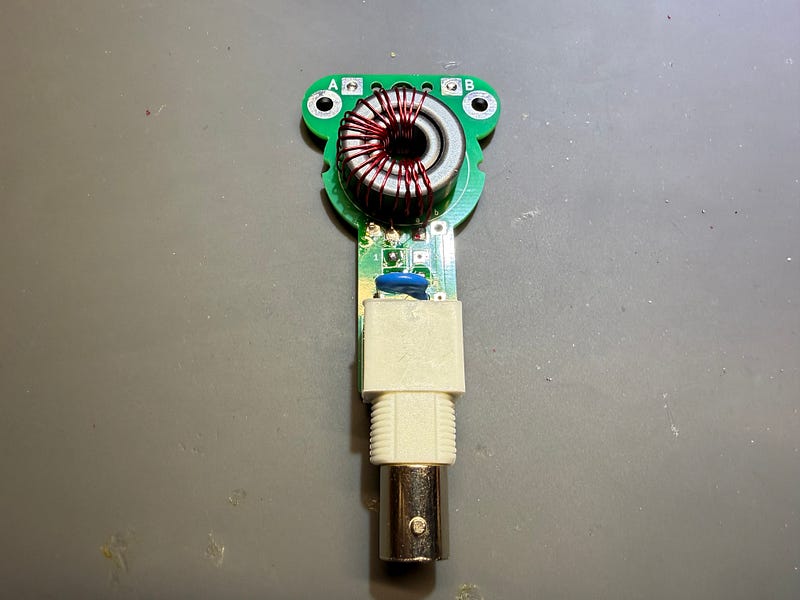
The following are instructions for building a 49:1 unun using a UniBalun board — the source for the board gerbers as well as the project is: https://github.com/DG1JAN/UniBalun
This guide can be used by anyone who has had the boards fabricated (I used JLCPCB) and gathers the components. I kitted these for a club build, so these instructions will reference “the kit” from that context. A set of required components is listed for anyone who wishes to source their own.
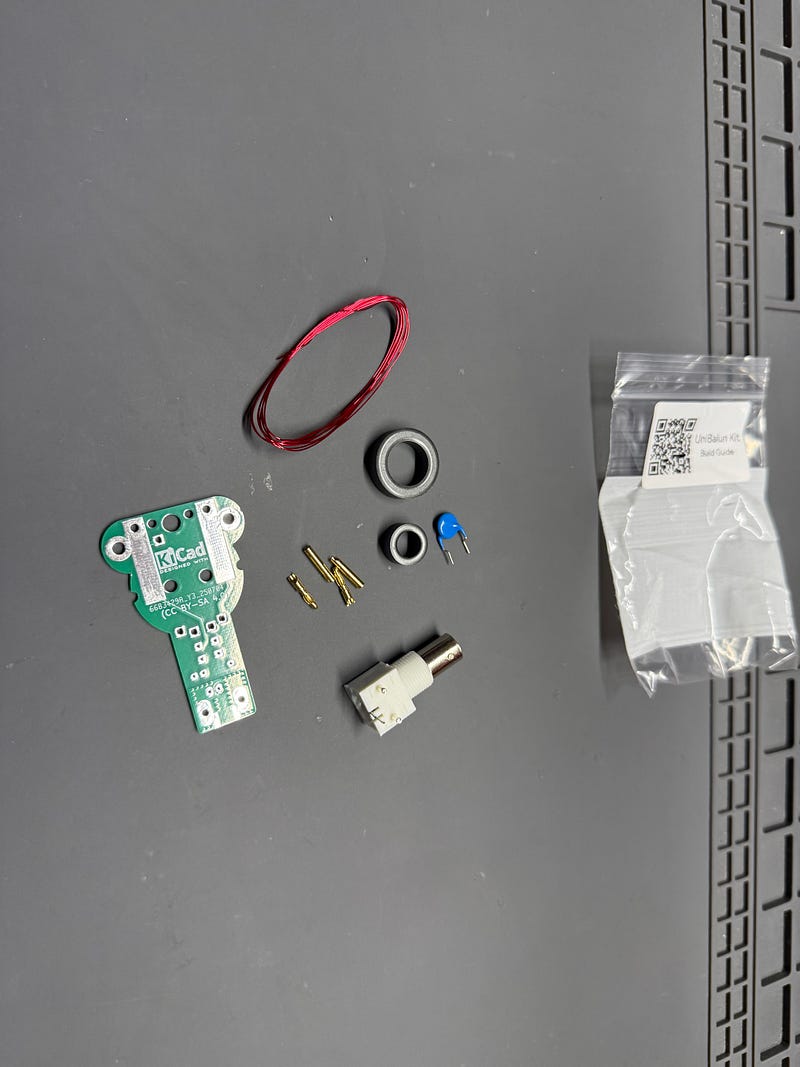
Materials (all provided in the kit unless otherwise noted)
- The UniBalun PCB
- Fair-Rite 5943000601
- Fair-Rite 5943001101
- ~115 cm of 26ga magnet wire
- 100pF 3kV capacitor
- BNC connector
- 2x 4mm banana plug male
- 2x 4mm banana plug female
- Solder, soldering iron, wire snips, and other soldering tools (not provided in the kit)
- (optional) 32mm heat shrink tubing (not provided in the kit)
Build Instructions
Toroid Winding
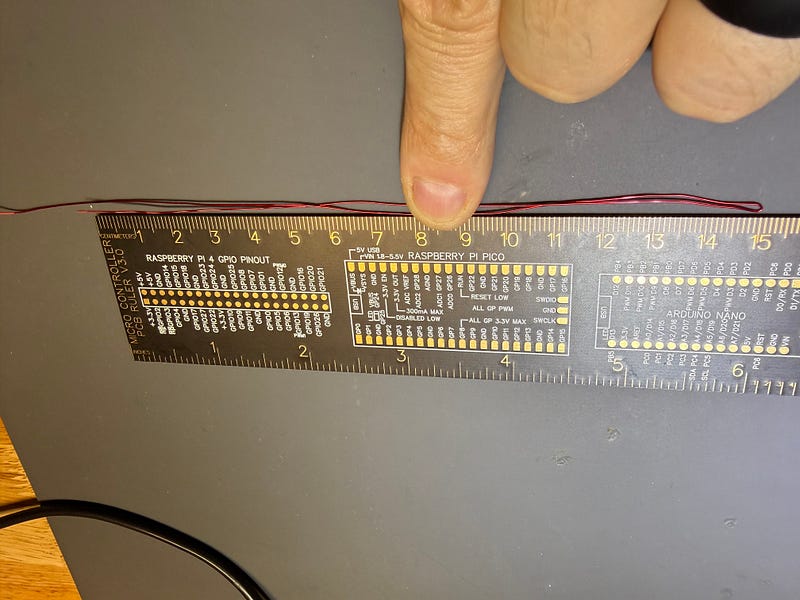
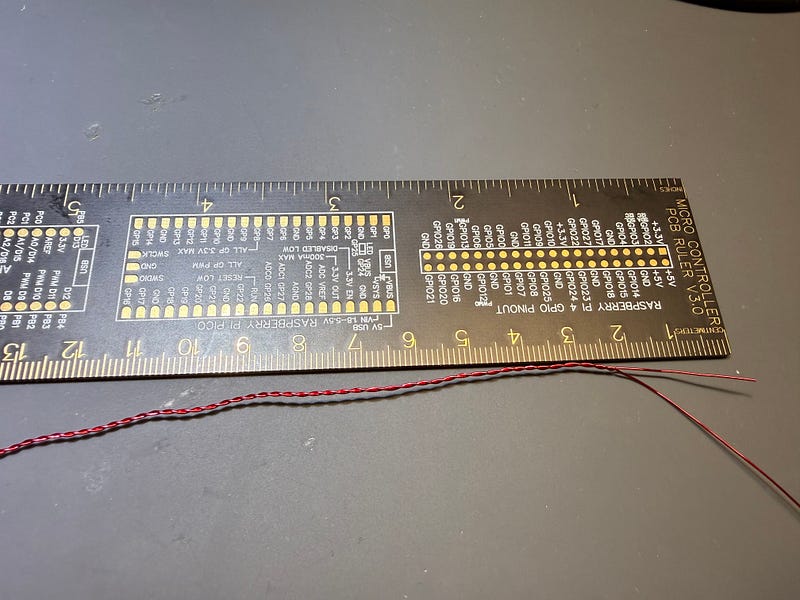
- Bend back ~15 cm of wire and twist the two parallel strands, leaving about 2cm loose at the end.
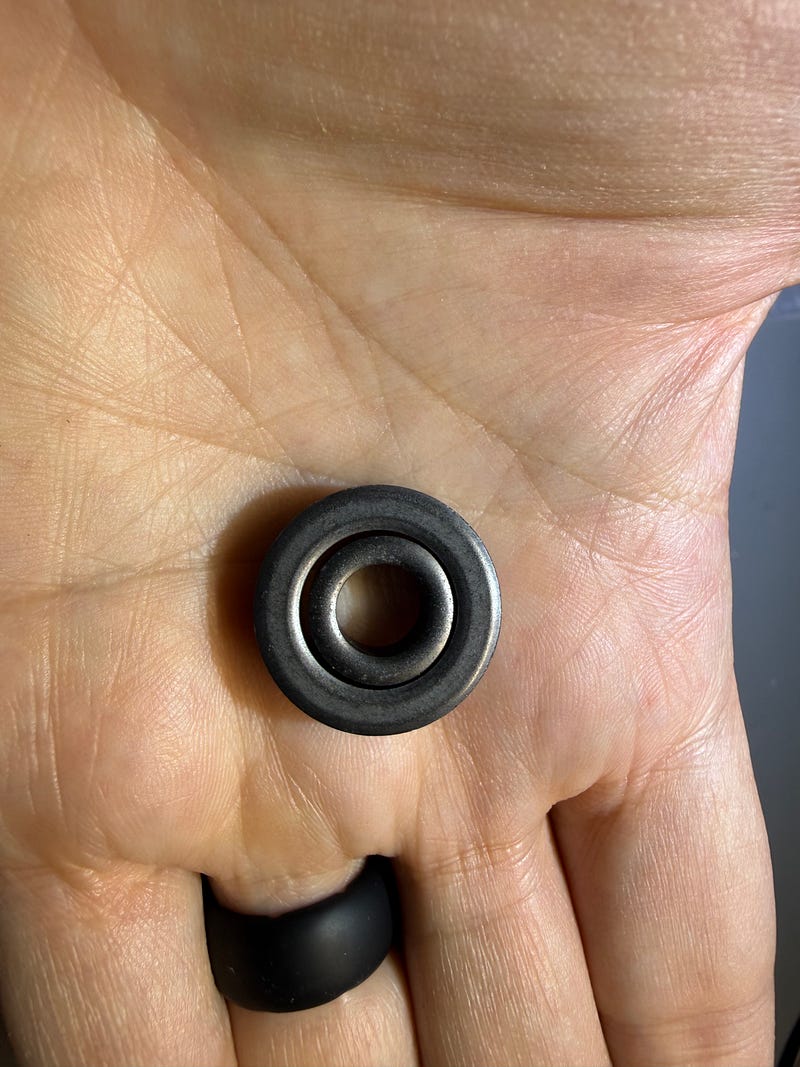
- Nest the toroids, one inside the other; you’ll be treating this nested toroid as a single unit when winding the magnet wire.
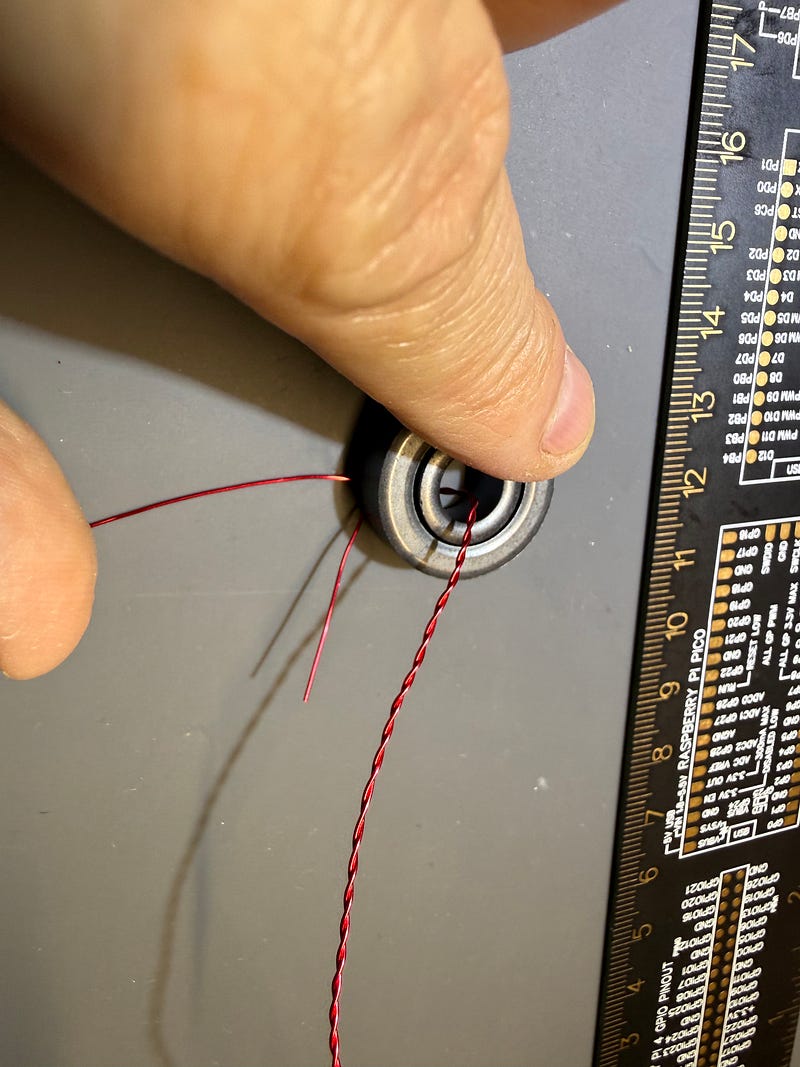
- Using the twisted end of the magnet wire, wind 3 turns (primary) on the toroids. When winding a toroid, a “turn” is just the number of times that the wire goes through the center of the toroid. Pay attention to the direction of the winding in the pictures.
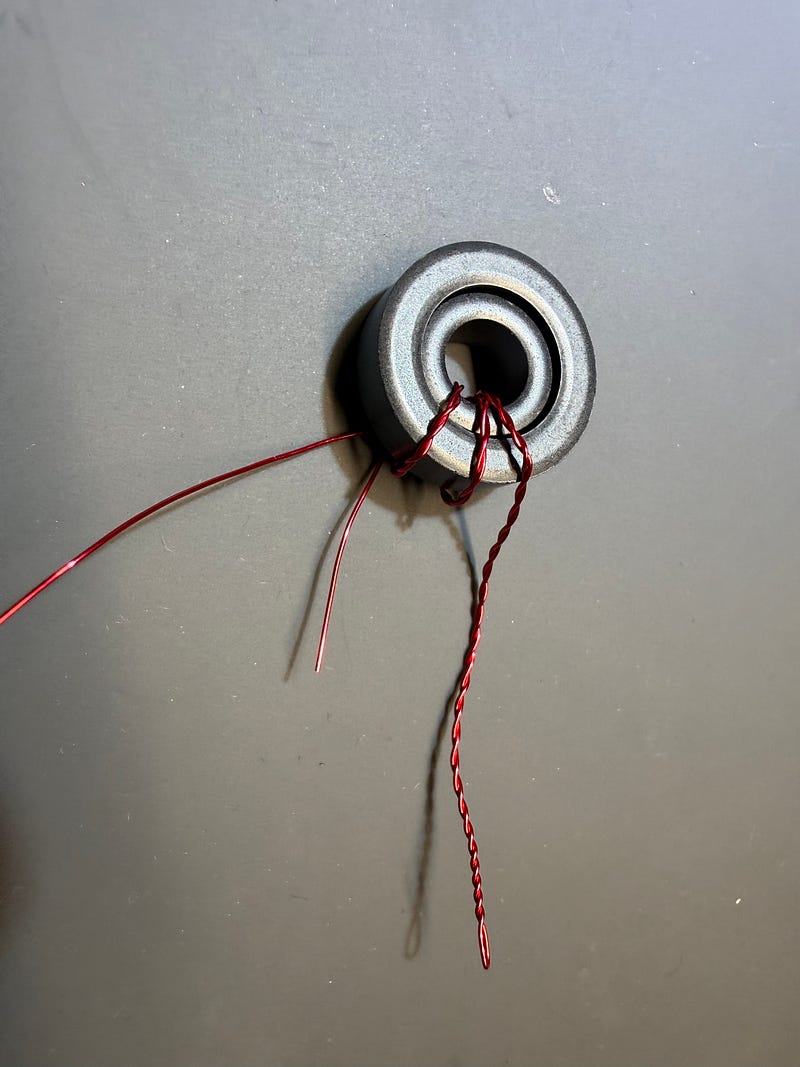
- Continue with the single wire, winding 18 turns in the opposite direction.
- Total turns: 3 primary + 18 secondary = 21 turns.
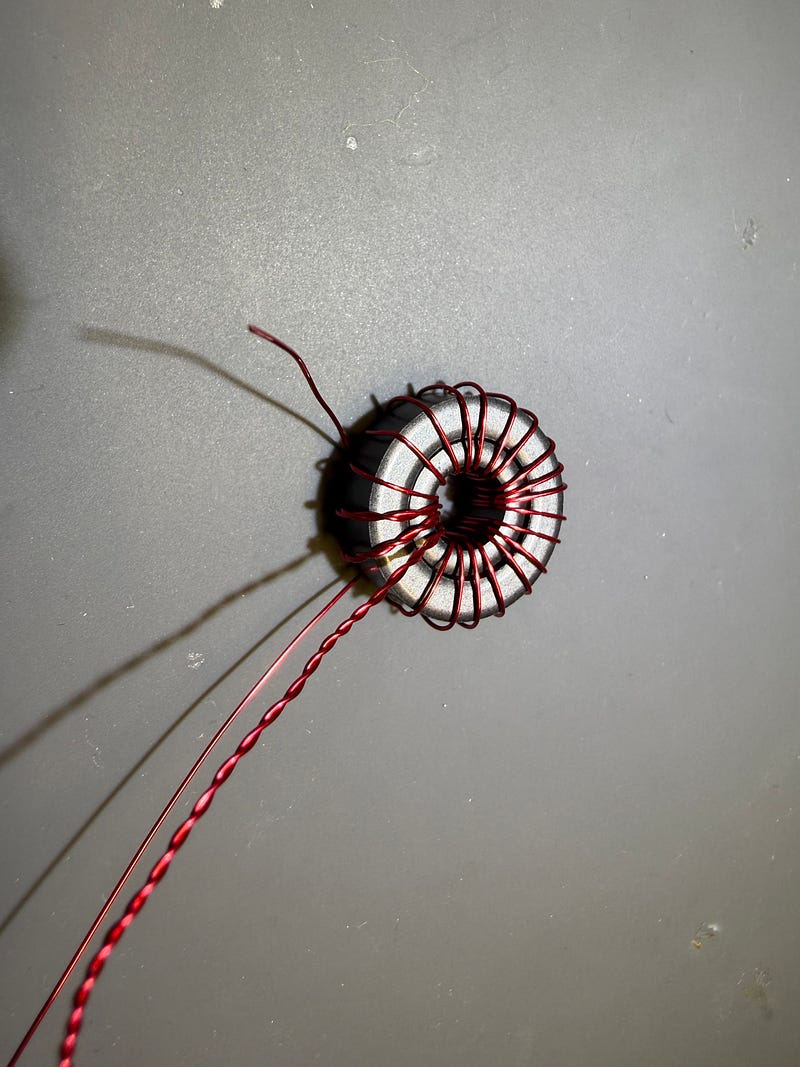
- Keep windings neat and non‑crossing.
- Cut the wires that are sticking out down to ~2cm, carefully strip the insulation off of the ends of the wire, and (optionally but recommended) tin the stripped section of wire.
PCB Construction
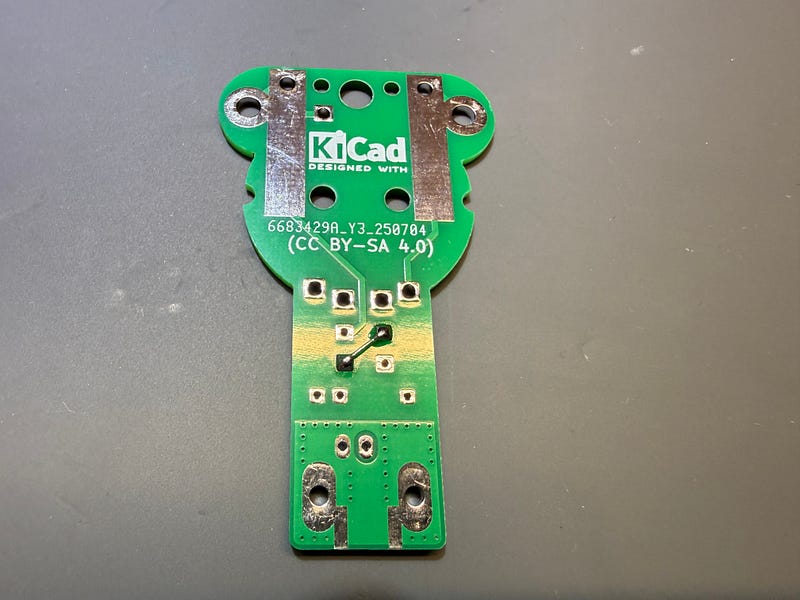
- Solder the required jumper (best placed on PCB backside) for the radiating element. See the below image for which pads to solder a wire jumper in — keep in mind that the image is of the backside of the PCB. You can use a wire clipping from a resistor/capacitor from a different project, or any short length of wire for this jumper.
- Solder the 100 pF capacitor in the marked position.
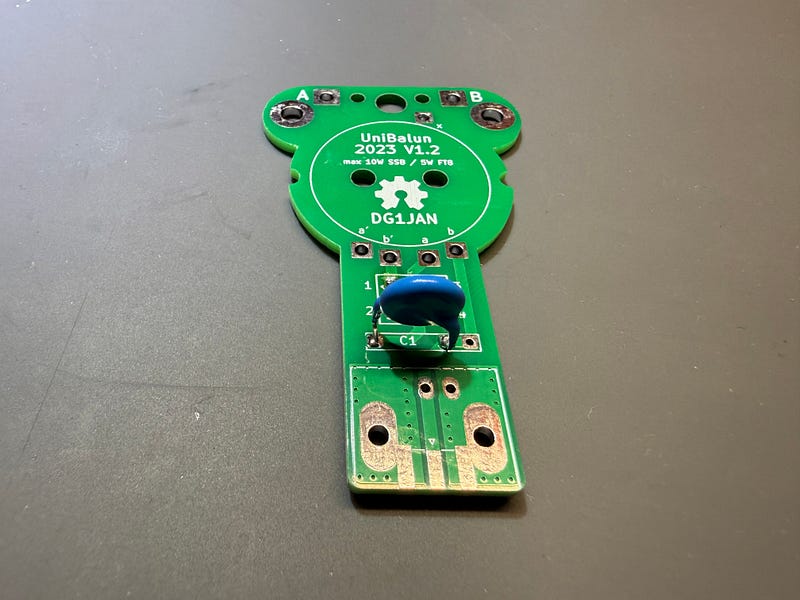
- Solder the wire leads from the leads in the following way — which wire goes in which pad DOES matter… Also note — you’ll need to “scrunch up” the wire a little bit on the toroid so that the wire ends line up properly. Careful when scrunching the wire to not have any of the windings crossing over each other.
- The twisted pair goes into the pad labeled a
- The single wire that was dangling off the end of the twisted pair (the 2cm that you left when twisting the wire initially) goes into the pad labeled b’
- The single wire at the other end of the toroid goes into the pad labeled x (towards the top of the PCB)
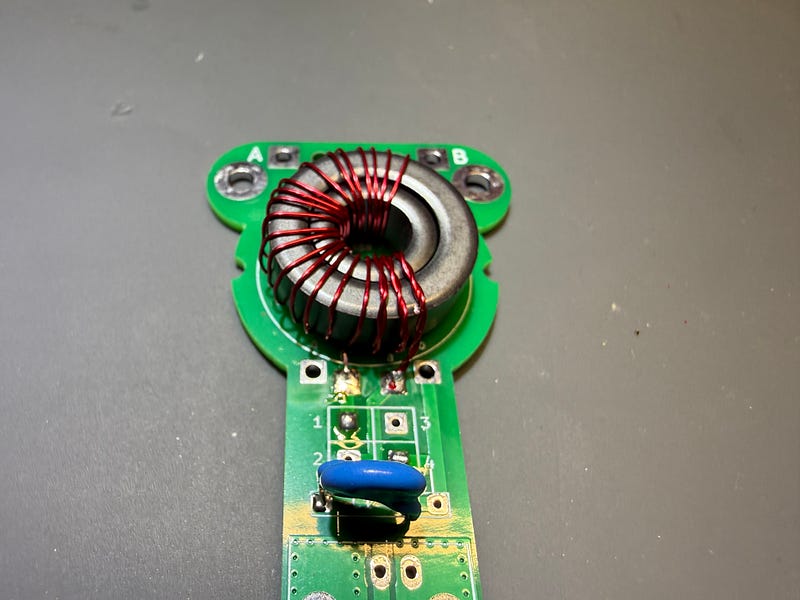
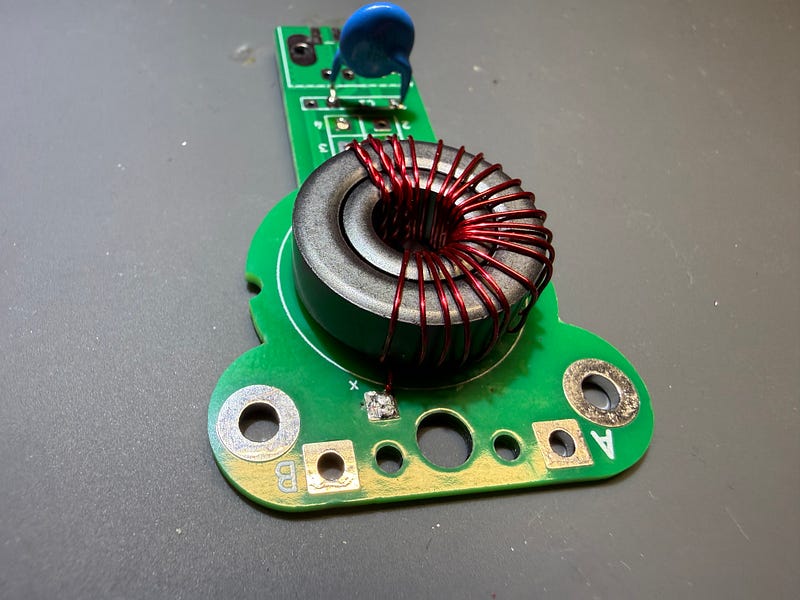
- Solder in the BNC/SMA connector.
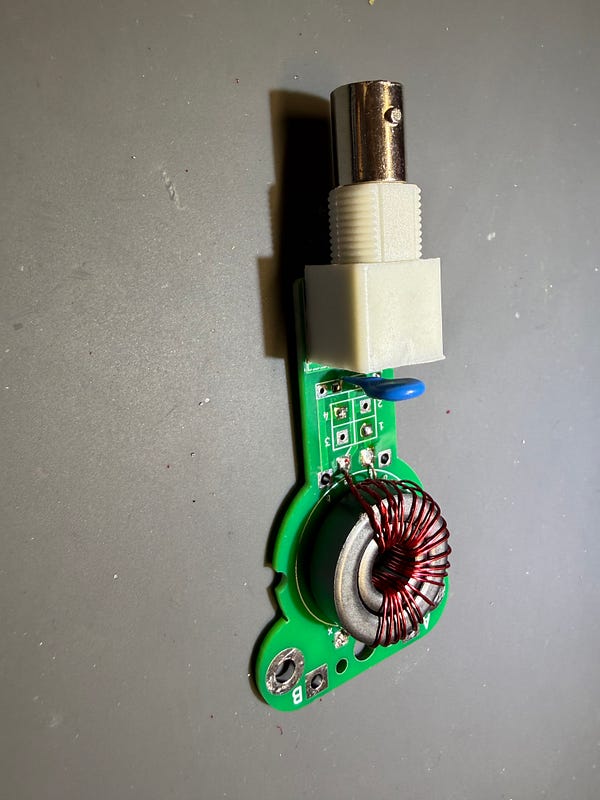
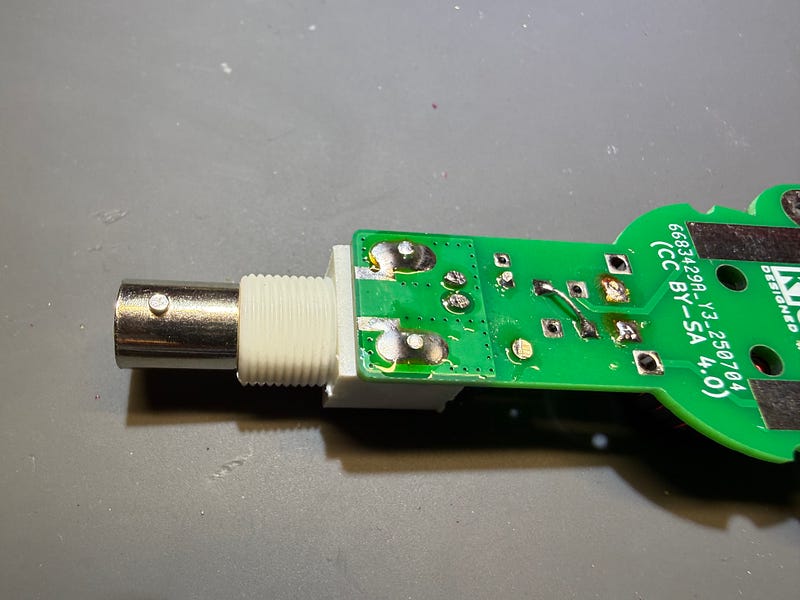
- Solder the required jumper (also best placed on the PCB backside) for the grounding element. See the below image for where that second jumper must be placed, and give it a little bend to ensure that it doesn’t short to the first jumper that you soldered in the above step.
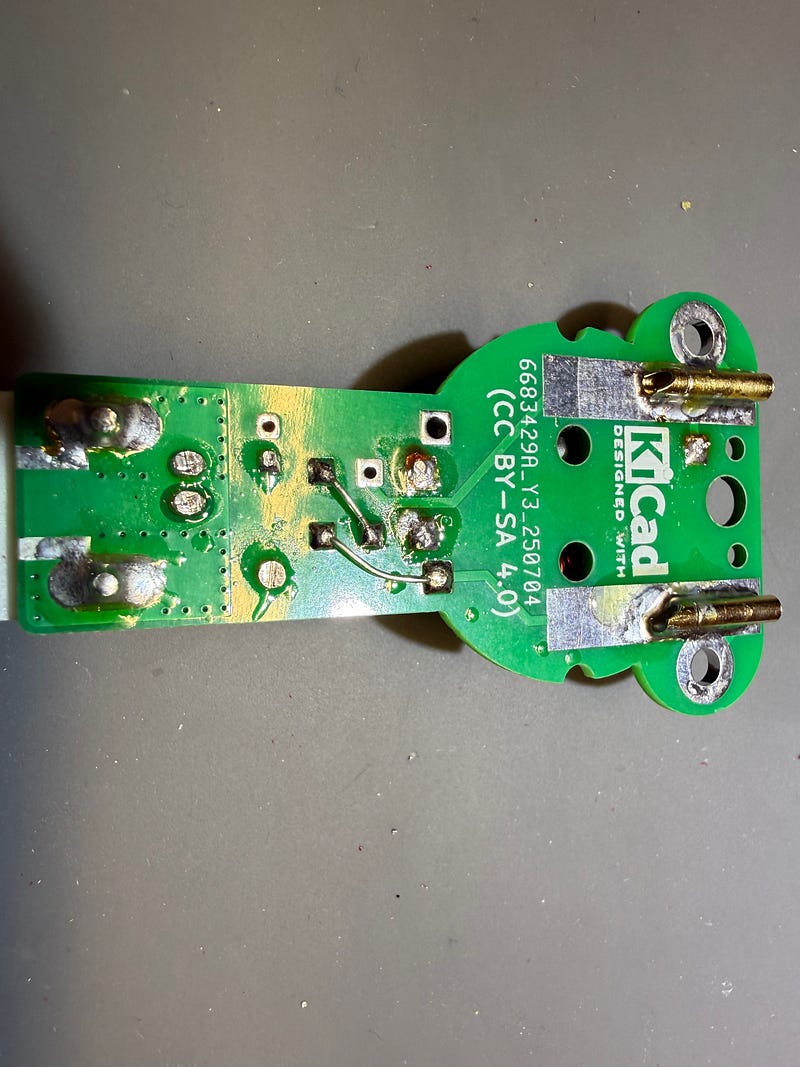
- Solder the female banana plugs on the top edge of the board on the large pads. Keeping them in place while you solder them down can be a challenge; see below for how I did it (I used an Omnifixo to hold things in place — my favorite helping hands). Make sure that the proper opening is facing the board edge; you’ll be connecting the male banana plugs into these with the antenna wires.
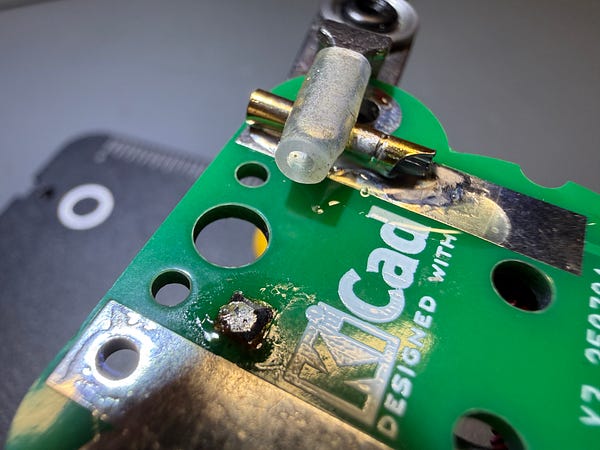
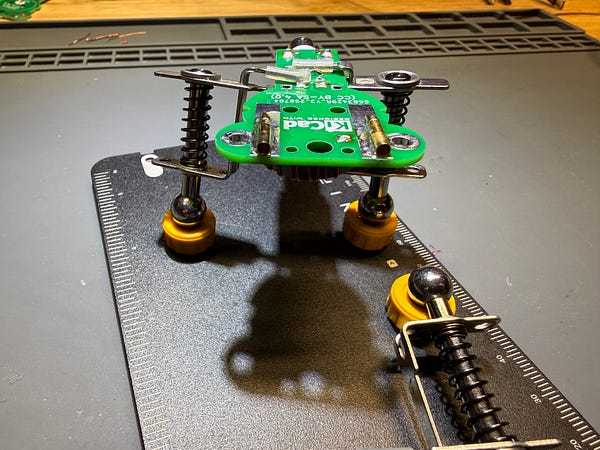
Once this is done, you’ll have finished the build of the unun. You can use zip ties in the holes in the center of the toroid or heat shrink (or both) to hold things more securely in place. The radiating element of your antenna is the banana plug under the ‘B’ label, and the counterpoise element is the banana plug under the ‘A’ label.
To test the unun, place 2450 ohms of resistance (or close to it) between the two banana plugs and use your favorite antenna analyzer or VNA.

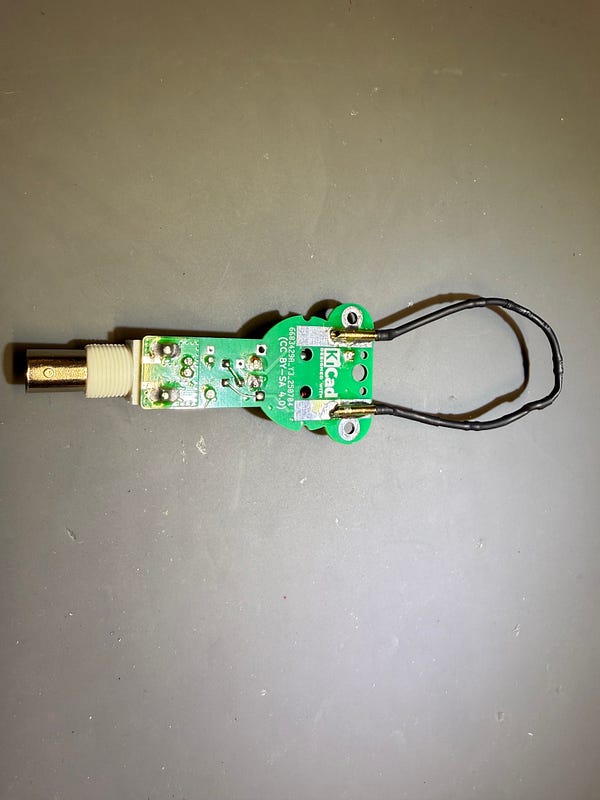
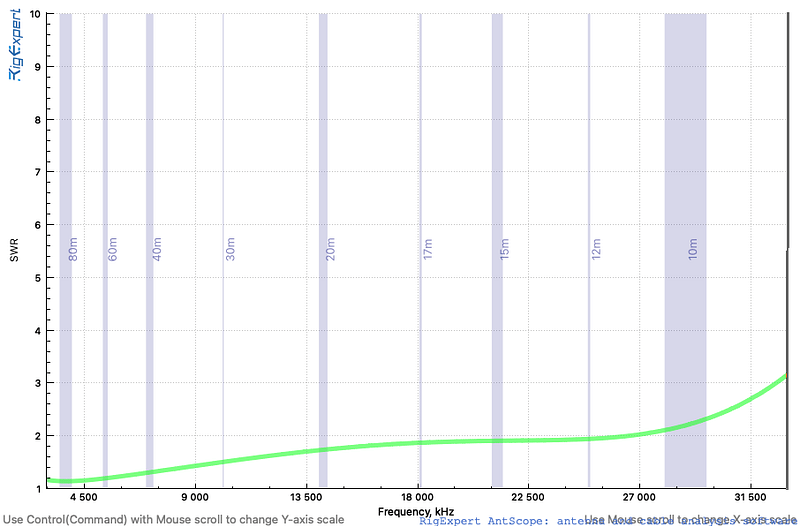
You can see the output from my RigExpert on the unun I build from this kit. It’s better at the lower bands but perfectly servicable up to 10m. Also keep in mind that I did not have exactly 2450 ohms of resistance here, but was close.